




Remote and hybrid work are no longer fringe arrangements; by the middle of 2025 nearly one‑quarter of job postings offered hybrid schedules and more than 70 % of job seekers named hybrid work as one of their top choices. Organisations that once treated home‑office setups as stopgaps are now reimagining them as mission‑critical workspaces. As we look toward 2026, employees and entrepreneurs alike are asking: How can my home workspace support productivity, health, and creativity without consuming unnecessary resources?
This long‑form guide examines the latest research on workplace design, sustainability and technology to help you reinvent your home office. Drawing on insights from design firms, ergonomics experts and technology analysts, it provides practical advice for creating a space that is beautiful, healthy and future‑proof. Throughout the article, you’ll see call‑out boxes highlighting expert tips and case studies, bulleted lists for quick reference and installation guides for do‑it‑yourself (DIY) projects. When appropriate, Mount‑It! products are introduced as solutions—not as the centrepiece—so you can integrate professional‑grade mounts, desks and monitor arms seamlessly into your design.
Why re‑design your home office for 2026?
Hybrid work is here to stay
Data from the staffing firm Robert Half shows that flexible work arrangements have become a key differentiator in talent recruitment. In Q2 2025, employers offering hybrid schedules increased from 15% to 24% over two years. Job seekers rank hybrid arrangements as a top priority. This structural shift means that a home office is not just a temporary refuge; it is an extension of your employer’s workplace. A poorly designed space can lead to back pain, distraction and burnout, whereas a considered environment improves focus and overall wellbeing.
Design trends are evolving
Design consultancies anticipate that the office of 2026 will be wellness‑centred, flexible, inclusive and sustainable. Morgan Lovell’s forecast notes that future workspaces will prioritise ergonomic furniture, natural light and relaxation zones to promote employee wellness. They also emphasise green design, using eco‑friendly materials and renewable energy and inclusive design that accommodates neurodiverse users. Buro Seating’s trend report adds that modular furniture, sensor‑enabled ergonomics, and biophilic design (bringing nature indoors) will become mainstream. These trends underscore a shift from purely aesthetic upgrades to holistic experiences that balance comfort, functionality and sustainability.
Technology is reshaping furniture
Equipment manufacturers are embedding artificial intelligence (AI) and sensors into everyday furniture. According to a smart‑mount manufacturer, AI‑assisted installation tools use augmented reality on your smartphone to project stud locations and potential hazards, reducing installation time by up to 80%. The same report describes auto‑load sensors and earthquake modes that lock screens during tremors. These innovations not only make setups faster but also improve safety. In parallel, ergonomic chairs now integrate sensors that remind you to adjust posture and stands that automatically adapt to your ideal height. As you plan your 2026 workspace, think beyond simple furniture and consider smart systems that adapt to your body and tasks.
Designing for Wellness and Ergonomics
Embrace biophilic design
Biophilic design uses natural materials, plants and views to reduce stress and improve cognitive performance. Studies show that exposure to greenery can lower cortisol levels and enhance creativity. Home‑building specialists emphasise that biophilic offices incorporate real plants, natural wood and abundant daylight. Designers foresee this trend continuing in 2026: The Spruce notes that saturated colour palettes are giving way to moody greens and earthy tones, complemented by statement art and natural textures.
Practical ideas:
- Living plant wall: Install a vertical garden or modular moss panel behind your monitor to bring the outdoors in. Use automatic irrigation systems or low‑maintenance plants to minimise upkeep.
- Natural materials: Choose desks made from sustainably harvested wood or bamboo. Avoid laminates with volatile organic compounds (VOCs), opting instead for solid woods or finishes labelled low‑VOC.
- Natural light: Position your desk near a window to maximise daylight. If direct sun causes glare, add adjustable blinds or a Mount‑It! anti‑glare monitor arm to allow quick repositioning.
Expert Tip: Interior designers suggest pairing plants with warm neutrals and soft textures. Buro Seating notes that softer shapes and calming colour palettes support focus and relaxation. A living wall, pictured above, demonstrates how greenery can become the focal point without cluttering the workspace.

Prioritise ergonomic movement
Prolonged sitting contributes to musculoskeletal disorders and reduces productivity. Height‑adjustable desks, ergonomic chairs and monitor arms encourage movement and proper posture. Clarendon Homes recommends height‑adjustable desks, smart lighting and soundproofing as “luxury inclusions” for future home offices. Buro Seating predicts sensor‑enabled chairs and modular seating that adjust automatically to individual needs.
Checklist for ergonomic movement:
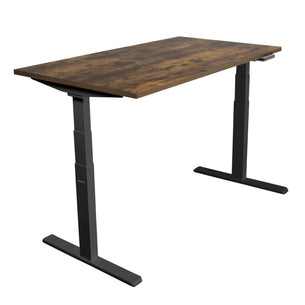
- Standing desk: Invest in an electric standing desk with memory presets. Use the 20‑8‑2 rule—stand for 20 minutes, sit for 8 minutes and move around for 2 minutes—throughout the day.
- Smart chair: Choose an ergonomic chair with lumbar support, adjustable armrests and built‑in posture sensors. Newer models connect to apps that prompt you to change positions.
- Monitor arms: Dual‑monitor arms let you adjust height and distance easily. Mount‑It!’s full‑motion arms support multiple screens, hide cables and meet VESA standards. They also help maintain eye level and reduce neck strain.
- Keyboard & mouse: Use an ergonomic keyboard with a negative tilt and a vertical mouse to reduce wrist tension. A separate numeric keypad adds flexibility.
- Footrest or balance board: When standing, use a balance board to engage core muscles. When sitting, a footrest helps maintain proper knee angle.
Create a sensory spectrum
Not everyone thrives in the same environment. Neurodiversity‑friendly design—spaces that account for varying sensory needs—is gaining traction. Buro’s report outlines solutions such as adjustable lighting, sound‑absorbing panels and private pods to support focus for individuals sensitive to noise or light. Morgan Lovell underscores inclusive design that accommodates diverse needs and abilities.
How to apply neurodiversity principles:
- Lighting layers: Combine natural light with tunable LED lamps. Use a daylight hue (5000 K) for analytic tasks and a warmer hue (2700 K) for creative work or relaxation.
- Acoustic zoning: Install acoustic panels, heavy curtains or bookcases filled with books to absorb sound. Portable white‑noise machines can mask sudden noises.
- Visual options: Provide both open views and high‑backed chairs or screens for those who prefer visual privacy.
- Breakout space: Even within a home, designate a small corner with a comfortable chair and softer lighting where you can take calls or decompress.
Healthy air and lighting
Indoor air quality impacts cognitive function. Add a HEPA air purifier or select plants that act as natural air filters. Use smart thermostats to maintain comfortable temperatures. For lighting, avoid flicker by choosing high‑quality LED bulbs with flicker indices below 5 %. The combination of good air and lighting will reduce eye strain and fatigue.
Sustainability and Circular Economy
Choose eco‑friendly materials
Sustainability is no longer a nice‑to‑have. Morgan Lovell emphasises the “green standard”—designs that prioritise eco‑friendly materials and renewable energy. Buro Seating adds that workplaces must consider renewable materials and low‑VOC finishes.
Material selection tips:
- Bamboo and recycled metals: Bamboo grows quickly and sequesters large amounts of carbon. In the mounting world, some manufacturers use bamboo stands and recycled aluminium for lower footprints. Seek certifications such as FSC (Forest Stewardship Council) and Cradle to Cradle.
- Reclaimed wood: Repurposing timber from old buildings or shipping pallets gives new life to existing resources. When used in desktops or shelving, reclaimed wood adds character and reduces demand for virgin timber.
- Recycled plastics: Some monitor arms and cable trays incorporate recycled plastics. Check for recycled content percentages in the product specification.
- Low‑VOC finishes: Paints, sealants and adhesives can release harmful solvents. Opt for products labelled Greenguard Gold or with VOC levels below 50 g L−1.
Reduce, reuse, recycle (circular economy)
The circular economy aims to minimise waste through reuse and recycling. Morgan Lovell’s trends mention reducing, reusing and recycling as part of the circular economy approach. In a home office, this could mean:
- Refurbishing existing furniture: Instead of discarding an old desk, sand and refinish it using eco‑friendly oils. Upgrade hardware or add a standing‑desk converter rather than replacing the entire unit.
- Modular systems: Choose modular shelving and cabinetry that can be reconfigured as your needs change. Mount‑It!’s monitor arms are modular—swap out VESA plates or add a laptop tray without purchasing an entirely new system.
- E‑waste management: Recycle outdated electronics at certified e‑waste centres. When buying new devices, prioritise products designed for disassembly.
- Renewable energy: If possible, install solar panels or subscribe to a green‑energy provider. Even small changes—such as using power strips with switches to eliminate standby power—reduce your carbon footprint.
Space‑saving and multi‑use designs
Smaller living spaces demand efficient layouts. Smart‑mount manufacturers highlight fold‑flat mounts, monitor tree stands and corner TV stands that reclaim floor space. This idea extends beyond television to office furniture: consider floating shelves, under‑desk drawers and wall‑mounted cabinets. A Murphy desk or wall‑folding workstation can transform a guest bedroom into a productive office in seconds.
Sustainable lighting and power
LED technology has become the de‑facto standard. Choose LED fixtures with high efficacy (above 100 lumens per watt). Where possible, integrate task‑lighting strips beneath shelves to illuminate work surfaces evenly. Use smart plugs or occupancy sensors to turn off lights when not in use. For power delivery, invest in surge‑protected strips with USB‑C ports so you don’t need multiple chargers.
Technology and Smart Ergonomics
AI‑assisted installation and mounting
Mounting a monitor or television used to be a tedious job requiring stud finders, levels and guesswork. Today, AI‑assisted installation tools use augmented reality to display stud locations and obstacles on your smartphone screen, reducing installation time by up to 80 %. These tools also recommend proper screw length, weight capacity and drilling points. Some can even calculate optimal viewing angles based on your seating height.
Mount‑It! solutions:
- The latest full‑motion monitor wall arms integrate smartphone guidance; you scan your wall, and the app marks exactly where to drill. Once mounted, built‑in bubble levels and tension gauges help you adjust swing and tilt.
- For heavier displays, models with auto‑load sensors beep if weight exceeds safe limits, preventing accidents.
- Earthquake mode: Some mounts feature locking mechanisms that automatically secure the display during seismic activity —a significant advantage in earthquake‑prone regions.
Sensor‑enabled ergonomics
Smart furniture goes beyond adjustable height. Buro Seating predicts sensor‑enabled chairs that monitor posture and prompt micro‑movements. Today’s high‑end chairs include pressure sensors that detect slouching, integrated screens that display time spent sitting and AI algorithms that suggest stretching breaks. Smart desks can track standing time, while monitor arms connected to IoT hubs adjust height automatically as you switch between sitting and standing.

Integrated platforms and connectivity
Modular IoT hubs allow you to control lighting, blinds, temperature and even desk height from a single interface. Voice assistants can remember multiple desk presets, turning a workspace into a smart environment that adapts to different users. When planning your 2026 office, ensure your network can handle multiple connected devices; upgrade to Wi‑Fi 6 or higher for lower latency and support for dozens of IoT nodes.
AR/VR and collaborative tools
Forward‑looking offices may use augmented and virtual reality for training, remote collaboration and immersive ideation. Morgan Lovell lists AR and VR experiences as part of tech‑driven office design. A VR headset can create a distraction‑free environment or allow you to visualise digital prototypes. For now, ensure your space has adequate room and storage to accommodate headsets and sensors. Use cable‑management solutions to avoid trip hazards.
Flexibility and Modular Planning
Modular layouts for hybrid living
Homes must perform double duty: office by day, living space by night. Many designers predict a continued rise in multi‑functional spaces. Clarendon Homes highlights multifunctional rooms and smart storage solutions as key strategies for 2026. The Spruce notes that multifunctional spaces and aesthetic storage help maintain a tidy environment.
Strategies for flexible layouts:
- Murphy desks and fold‑away stations: A wall‑mounted desk can fold up when not in use. Pair it with a wall‑mounted monitor arm that swings flat against the wall. During off‑hours, the room functions as a guest bedroom or lounge.
- Mobile furniture: Use casters on cabinets and drawer units. A rolling pedestal can slide under your desk during work and move to a closet on weekends.
- Room dividers: Freestanding panels or bookshelf dividers create visual separation between workspace and living areas. Acoustic dividers reduce sound bleed during calls.
- Modular shelving: Systems with adjustable brackets and shelves adapt to new devices, books or décor. Some allow you to add planters or lighting modules for extra biophilic impact.
Resimercial design and café culture
Buro Seating discusses resimercial design, blending residential comfort with commercial functionality, and a café culture aesthetic. Think plush seating, warm colour palettes and friendly textures that encourage you to linger. In your home office, incorporate a comfortable reading chair or a coffee station. Use textured fabrics and rugs to soften the space.
Privacy and sound control
Open‑plan home offices—especially within multi‑functional rooms—can be distracting. Buro’s trend report calls for acoustic panels and focus pods. Sound‑absorbing wall panels, acoustic ceiling tiles or even dense curtains can keep your meetings private. A simple solution is to install a Mount‑It! desk privacy panel that attaches to the underside of your desktop and dampens noise.
Case Studies and Real‑World Applications
Case study: A Vancouver home office remodel
Background: In early 2025, software engineer Aisha transformed her Vancouver condominium’s spare bedroom into a hybrid workspace. She wanted to incorporate sustainability, ergonomic movement and aesthetic appeal without compromising the room’s ability to host guests.
Design decisions:
- Biophilic elements: A living wall behind the monitor and potted plants on shelves provide natural textures. Natural wood floors were preserved and refinished with low‑VOC sealant.
- Smart ergonomics: A standing desk with memory presets, a sensor‑enabled chair that prompts micro‑breaks and dual monitor arms from Mount‑It! were installed. Aisha notes that the monitor arms’ cable management system “makes everything look tidy and prevents tangles.”
- Modular storage: Floor‑to‑ceiling shelving with adjustable compartments houses books, files and guests’ belongings. A fold‑down Murphy bed and a fold‑away desk allow the room to transform quickly.
- Technology integration: Smart bulbs adjust color temperature based on time of day. A smartphone app controls desk height, lights and blinds. The system uses Wi‑Fi 6 for reliable connectivity.
Outcome: Aisha reports improved focus and energy levels. She attributes part of her productivity gains to standing more frequently and the presence of greenery. Guests appreciate the tidy appearance and built‑in bed. The design also future‑proofs the room: if Aisha’s work schedule changes, the modular components can be rearranged without major renovations.
Case study: Converting a garage into a workshop and office
Background: DIY enthusiast Liam wanted a space for woodworking and remote work. He converted his single‑car garage into a workshop with a corner office.
Design decisions:
- Space‑optimised mounts: Liam installed fold‑flat TV mounts and a monitor tree stand so he could stream tutorial videos while working on projects. The ability to fold the screen flat against the wall freed up space for lumber storage.
- Durability and safety: He chose a Mount‑It! heavy‑duty mount rated to 50 kg and featuring auto‑load sensors. Earthquake mode locks the screen when vibrations exceed a threshold.
- Lighting and dust control: LED strip lighting runs along overhead joists. A shop vacuum with HEPA filters ensures air quality. Sound‑absorbing foam panels glued to the garage door reduce noise to the rest of the house.
- Flexible furniture: A rolling workbench doubles as a computer table. Pegboard walls and modular hooks keep tools organised.
Outcome: Liam now has a safe space for both woodworking and video calls. He notes that the AI‑assisted installation app simplified mounting the screen because it highlighted stud positions and recommended screws. The mount’s safety features give him peace of mind when cutting wood near his electronics.
Step‑by‑Step DIY Guide: Mounting a Monitor Arm Safely
- Assess your wall: Determine whether your wall is drywall, concrete or brick. Use a stud finder to locate studs behind drywall. If you have concrete, you’ll need masonry anchors.
- Choose the right mount: Consider the size and weight of your monitors. Mount‑It! provides weight capacities; choose a mount with a capacity at least 25 % higher than your monitor’s weight for safety. For multi‑monitor setups, use a tree stand or dual arm.
- Use AI‑guided apps: Download an AI‑guided mounting app from the manufacturer. The app will overlay stud positions, recommended screw locations and warnings about electrical wiring.
- Pre‑thread cables: As the smart‑mount report advises, pre‑thread cables through the mount’s channels before mounting. This prevents you from having to fish cables through tight spaces afterward.
- Drill and mount: Drill pilot holes at marked positions. Secure the mounting plate to the wall using appropriate hardware. Attach the VESA plate to your monitor.
- Adjust and calibrate: Hang your monitor on the mount and tighten tension screws. Use built‑in levels to ensure proper alignment. If your mount has auto‑load sensors, verify that the weight reading is within range.
- Cable management: Route cables through the integrated channels. Use Velcro ties to bundle excess. Plug into a surge‑protected power bar.
- Test motion: Move the monitor through its full range—extend, tilt and swivel—to ensure smooth movement. Adjust tension if necessary.
Looking to the Future: Innovations on the Horizon
As we move into 2026 and beyond, several innovations promise to transform home offices further:
- Haptic feedback desks: Research labs are developing desks that provide subtle vibration cues to prompt movement or signal notifications without visual distractions.
- Adaptive acoustic ceilings: Materials that change density in response to sound will improve acoustic control. Combined with AI, ceilings could dampen noise when you’re on a call and allow more openness when you’re off.
- Energy‑harvesting furniture: Standing desks with built‑in kinetic energy converters may charge devices as you alternate between sitting and standing.
- Augmented collaboration: Mixed‑reality headsets will allow remote collaborators to appear as holograms in your space. Expect monitor arms that hold VR/AR headsets and cable management designed for immersive technology.
- Eco‑positive materials: Beyond carbon neutrality, designers are exploring materials that absorb more carbon than they emit during production. Such innovations will further reduce the environmental impact of your office.
Conclusion
Modern work demands a home office that balances wellness, sustainability and smart ergonomics. The trends for 2026; biophilic design, sensor‑enabled furniture, AI‑assisted installation and modular layouts reflect a holistic approach to work and living. Designers forecast that offices will not just be spaces to perform tasks but environments that support mental health, reduce environmental impact and adapt to technology and user needs. By integrating natural elements, choosing eco‑friendly materials, embracing smart ergonomics and planning for flexibility, you can create a workspace that serves you for years to come.
While this guide emphasises strategy and research, implementing it requires tools and hardware that are up to the task. Mount‑It! offers monitor arms, standing desks, TV mounts and ergonomic desk accessories designed with these principles in mind. Explore their range to find solutions that help you realise your vision of a sustainable, comfortable and future‑ready home office.