


Short answer: mount your TV so the center of the screen is at your eye level when you are seated. For most living room sofas that is about 42 inches from the floor.
- Living room: 38 to 44 inches to the center of the screen, depending on how low or high your seat is. A standard couch lands at 40 to 42 inches.
- Bedroom: higher, because you watch reclined. The center usually ends up 48 to 60 inches from the floor.
- Kitchen or anywhere people stand: 55 to 65 inches to the center.
- Above a fireplace: the TV sits higher than eye level, so use a tilting or pull-down mount and leave at least 4 to 8 inches above the mantel.
- Where the bottom edge goes: subtract half the TV's height from your center height. A 65-inch TV is about 32 inches tall, so with the center at 42 inches the bottom edge sits at about 26 inches.
This isn't some random number. It's the ergonomic sweet spot for most living room setups, and it's your best defense against the most common mounting mistake: placing the TV way too high.
The Secret to Perfect TV Placement
Think of that 42-inch figure as a professional baseline, not an unbreakable law. It's the expert-recommended starting point that we'll use to fine-tune the height based on your specific couch and screen size.
The whole point of this exercise is to align the screen with your natural line of sight. Getting this right means no more craning your neck during movie night. Home theater specialists all agree: the center of the TV should hit right at the viewer's eye level when they're seated. For most adults relaxing on a standard sofa, their eyes land right around that 42-inch mark. It just works.
Key Takeaway: Start with 42 inches as your professional guidepost, not the final measurement. The real goal is to perfectly match the screen's center to your own seated eye level for maximum comfort.
Finding Your Seated Eye-Level
Of course, your furniture makes a huge difference. Your eye level will be much lower on a sleek, low-profile sofa than it would be in a big, overstuffed recliner.
To help you get a quick estimate, we've put together a simple reference table for common furniture types.
Quick Reference for Seated Eye-Level Height
| Seating Type | Average Seated Eye-Level from Floor |
|---|---|
| Low Modern Sofa | 38 - 40 inches |
| Standard Couch | 40 - 42 inches |
| Plush Recliner | 42 - 44 inches |
| Bar Stools/High Seating | 46 - 50 inches |
While these numbers are a great starting point, they are just averages. The absolute best way to do this is to grab a tape measure, sit down, and have someone measure the height from the floor to your eyes. It only takes a minute.
Once you have that number, you know exactly where the center of your TV screen should go.
If your room mixes seating, like a sofa next to a taller armchair, or a recliner that drops your eye level when you lean back, set the height for the seat you use most. If several seats get equal use, pick a middle height that works reasonably well for all of them.
This measurement-first approach guarantees your viewing experience is built around comfort, no matter how big your new TV is. Naturally, the right hardware is crucial for getting this placement just right, especially if you have a tricky room layout. If you need help finding the right gear for the job, check out our guide on the best TV wall mounts to see what will work for your space.
How to Calculate Your Custom Viewing Height
That 42-inch guideline is a fantastic rule of thumb, but let's get personal. It’s time to dial in the perfect height for your specific room, your couch, and your viewing habits. Finding the ideal TV mounting height isn't some complex formula; it just takes a few minutes with a tape measure to guarantee hours of comfortable, strain-free viewing.
Let's walk through exactly how I do it. Grab your tape measure, and we'll get this sorted out.
Find Your Personal Eye Level
First things first: get comfortable. Sit down in your main viewing spot, the sweet spot on the sofa or your favorite recliner. Don't sit up straight like you're at the dinner table; relax like you would for a movie night.
Now, have a friend measure the distance from the floor straight up to your eye level. If you're flying solo, you can hold a tape measure up or use a laser level to mark the spot on the wall. This number is your ergonomic foundation. It's the most critical measurement you'll take.
For instance, if you have a low-slung modern sofa, your eye level might be around 39 inches. Sinking into a plush, overstuffed armchair? You could be closer to 44 inches.
No helper? Measure your seat instead. Measure from the floor to the top of the seat cushion, then add the height of your eyes above the seat when you sit comfortably. With a sofa seat about 18 inches off the floor and your eyes about 24 inches above the seat, your eye level is about 42 inches.
Pro Tip: Seriously, slouch a bit. Lean back. Get into your genuine, relaxed viewing posture. This ensures the height is perfect for how you actually watch TV, not how you sit for a formal portrait.
Factor in Your TV’s Dimensions
Next up, we need to locate the dead center of your TV screen. This is a simple one. Just measure the total height of your television, from the top edge to the bottom edge. Don't include the stand if it's attached.
Now, just divide that number by two. That gives you the distance from the bottom of the TV to its physical center.
- A 55-inch TV is usually about 27 inches tall, putting its center at 13.5 inches from the bottom.
- A 65-inch TV is typically around 32 inches tall, so its center is 16 inches up.
- A 75-inch TV is roughly 37 inches tall, with its center point at 18.5 inches.
You now have the two magic numbers: your personal eye-level height and your TV's center point.
Where the Bottom Edge of the TV Goes
Subtract the TV's center point from your eye-level height. The result is how high the bottom edge of the screen should sit.
| TV Size | Approx. TV Height | Center at 42 in: Bottom Edge | Center at 42 in: Top Edge |
|---|---|---|---|
| 55-inch | 27 inches | 28.5 inches | 55.5 inches |
| 65-inch | 32 inches | 26 inches | 58 inches |
| 75-inch | 37 inches | 23.5 inches | 60.5 inches |
If your eye level is not 42 inches, use your own number. For example, a 65-inch TV with a seated eye level of 44 inches gets its bottom edge at about 28 inches (44 minus 16).
This quick process shows you how to put those measurements together for the perfect height.
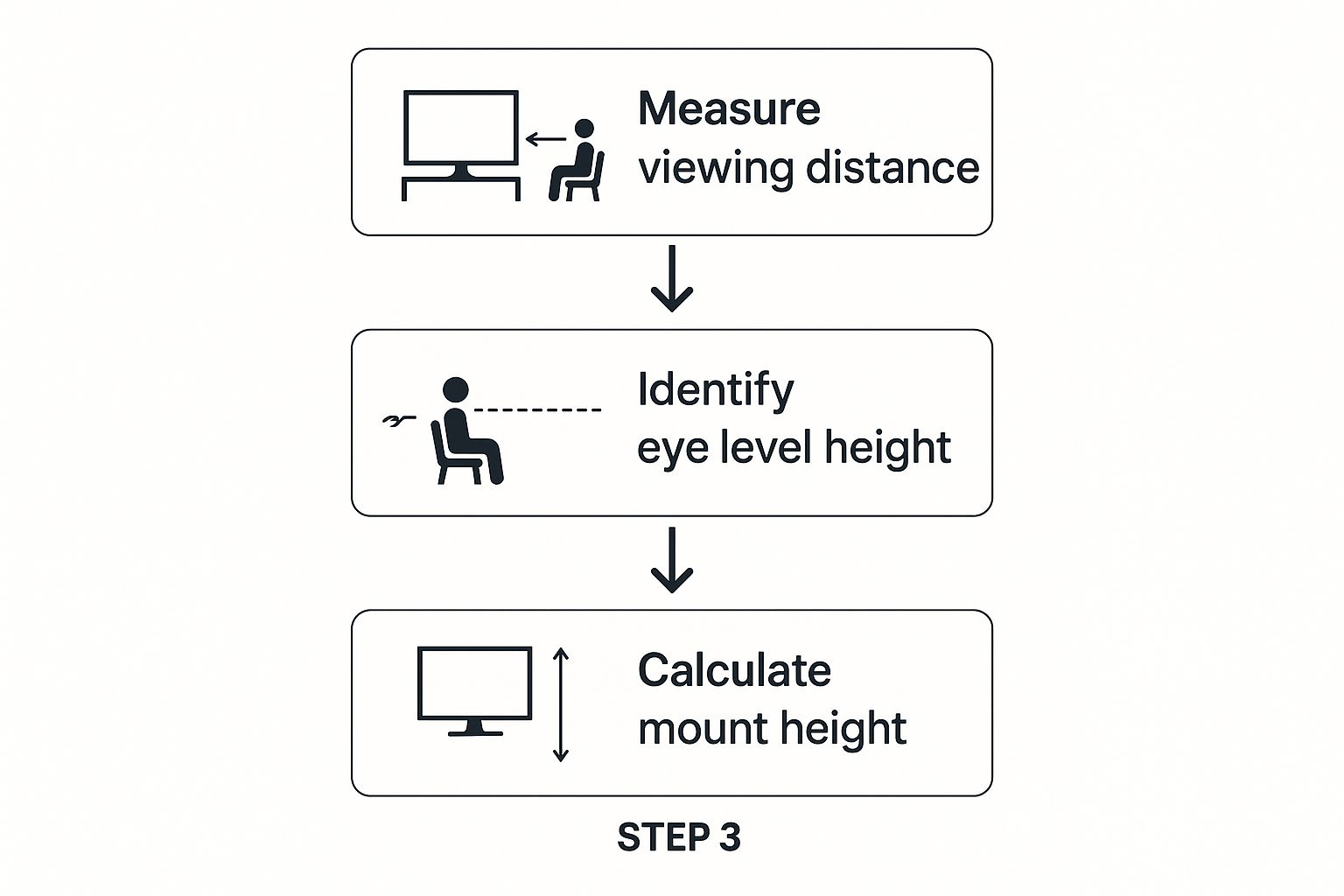
Following this method ensures the screen's center lines up perfectly with your gaze, which is the secret to the most natural and ergonomic viewing experience possible.
Mark the Wall Before You Drill
Here’s a final sanity check I always recommend before you commit to drilling. Grab some cardboard and cut out a template the exact size of your TV. Use painter's tape to stick it on the wall, lining up its center with the eye-level mark you made earlier.
Live with it for a day or two. Walk past it, sit down and glance at it, and just see how it feels in the room. This simple trick gives you a real-world preview and builds the confidence that you've absolutely nailed the placement. It’s a tiny bit of prep work that prevents the massive headache of drilling holes in the wrong spot.
If it feels too low, for example because you are tall or simply prefer the screen a little above eye level, move the template up a few inches and try again until it feels right.
Fine-Tuning for Your TV Size and Room Layout
While your personal eye-level measurement is the crucial starting point, it doesn't tell the whole story. The size of your TV and the specific layout of your room are just as important. Think of it this way: a huge screen in a cozy den needs a different mounting strategy than a smaller TV in a wide-open living room.
The ultimate goal is to create that immersive, theater-like feeling without it being overwhelming. There's actually a science to this. The Society of Motion Picture and Television Engineers (SMPTE) has a guideline suggesting a TV should fill about 30 degrees of your field of view.
That might sound overly technical, but it's really about balance. You want the TV to be big enough to pull you in, but not so big that you're constantly scanning from side to side like you’re at a tennis match. This is where the interplay between how far you sit and how big your screen is comes into play.
Finding Your Viewing Distance Sweet Spot
"Viewing distance" is just a fancy term for how far your eyes are from the screen. This single factor has a huge impact on how large the screen feels and, as a result, where its center point should land on the wall.
Here are some good rules of thumb to help you find the sweet spot for your TV size. This will help you make those final, small height adjustments.
- For a 55-inch TV: The sweet spot for viewing distance is between 7 and 11.5 feet.
- For a 65-inch TV: You'll want to be about 8 to 13.5 feet away.
- For a 75-inch TV: Aim for a distance between 9.5 and 15.5 feet.
If your couch is much closer than the minimum recommended distance, the screen can feel overpowering. Too far, and you lose that cinematic, immersive quality. Nailing this balance is absolutely key to getting the setup perfect.
Making Those Final Height Adjustments
Once you know your ideal viewing distance, you can start making those small, final tweaks to the height. Let's walk through a real-world scenario.
Imagine your seated eye level is 42 inches and you just bought a brand-new 75-inch TV. Your couch is about 12 feet away, right in that ideal viewing range. If you put the center of that giant screen precisely at 42 inches, it might feel just a bit low. In this case, you might decide to raise the TV by an inch or two, putting the center at 43 or 44 inches. It’s a subtle shift, but it lifts the entire screen just enough to feel more balanced within your vision from that distance.
Now, let's flip that. Say you have a smaller 55-inch TV and you're sitting closer, maybe around 8 feet away. Here, sticking rigidly to that 42-inch center line will likely feel perfect. The smaller screen fits more comfortably in your field of vision without needing any extra help. It's all a delicate balance between the hard numbers and what simply feels right to you.
So a bigger screen does not mean a much higher mount. The 42-inch center is still the starting point for today's large TVs; screen size and distance move it by an inch or two, not by a foot.
Ceiling Height and Wall Proportions
With a tall ceiling, you might mount the TV a little higher so there isn't an awkward gap between the TV and the furniture below it. With a low ceiling, mounting a little lower keeps the room looking proportional. Either way, keep the center of the screen close to your seated eye level. A high ceiling gives you more wall, not a reason to mount the TV high.
Mounting in Tricky Spots Like Fireplaces and Bedrooms
While the standard rules for the ideal TV mounting height work perfectly in a straightforward living room, what happens when you run into those tricky spots? Not every home has a perfect, unobstructed wall waiting right in front of the sofa. Sometimes, you just have to work with the layout you've got. That often means dealing with a fireplace or figuring out the best placement in a bedroom.
The advice for these spaces is completely different because your viewing posture and the room's natural focal points are not the same. Let's break it down.
TV Height by Room
| Room | Center of Screen from Floor | What to Watch For |
|---|---|---|
| Living room (sofa or recliner) | About 42 inches (38 to 44 by seat type) | Match your seated eye level |
| Bedroom (reclined in bed) | 48 to 60 inches | A tilting mount helps you aim the screen at the bed |
| Kitchen or standing area | 55 to 65 inches | Glare from windows and lights |
| Home theater | At seated eye level for the main seats | Viewing distance matters most |
| Above a fireplace | Higher than eye level | At least 4 to 8 inches above the mantel; tilting or pull-down mount |
The Great Fireplace Debate
I'll be direct: mounting a TV above a fireplace is an ergonomic headache. It almost always forces you to look up, which is a surefire recipe for neck strain, especially during a weekend movie marathon. That said, I get it. In many home layouts, it’s really the only logical place for the TV.
If this is your situation, your goal isn't perfection; it's what I call "harm reduction."
The absolute non-negotiable tool for this setup is a high-quality tilting wall mount. Being able to angle the screen downward, directing it toward your actual seated eye level, makes a world of difference for viewing comfort. Pull-down fireplace TV mounts go a step further: they let you lower the screen toward eye level while you watch.
Another huge factor is the heat. Your beautiful new TV is a collection of sensitive electronics that really don't play well with the high temperatures rising from a fireplace. Always check your fireplace and TV manuals for specific clearance requirements.
- Minimum Clearance: As a rule of thumb, ensure there are at least 4-8 inches between the top of the mantel and the bottom of your TV.
- The Heat Check: Before you even think about drilling, run your fireplace for an hour. Then, carefully hold the back of your hand against the wall where the TV will go. If it’s uncomfortably warm to the touch, it’s definitely too hot for your TV.
For a deep dive into the specific safety considerations and mounting techniques for this setup, check out our detailed guide on mounting a TV over a fireplace. It covers everything you need to know to do it safely and effectively.
Finding the Sweet Spot in the Bedroom
Mounting a TV in the bedroom follows a completely different playbook. Here, you're not sitting upright on a couch. You're most likely reclined against pillows or even lying flat. Your natural line of sight is much higher, so the TV needs to follow suit and be mounted higher as well.
I learned this the hard way when setting up my own bedroom TV. My first instinct was to use the living room "eye-level" rule, and it just felt bizarrely low. I found myself constantly looking down over my feet to see the screen. It was awkward.
The solution is to find your "reclined eye level." It's simple:
- Get into your typical bed-watching position, propped up on pillows and ready for a Netflix binge.
- Have a friend or partner measure from the floor right up to your eyes. This measurement is your new center point.
- Mount the TV so its vertical center aligns with that higher measurement.
This usually places the TV's center somewhere between 48 to 60 inches from the floor, which feels much more natural than in a living room. If you usually sit up in bed rather than recline, aim for eye level or slightly above it. Across both positions, most bedroom TVs end up with the center between 42 and 60 inches from the floor.
The size of the room, the height of the ceiling and the distance from the bed to the wall all play a part. With a larger TV or a smaller bedroom, you may need to mount the TV slightly higher so it fits comfortably in the space.
And just like with a fireplace setup, a good tilting mount is your best friend here. Angling the screen down ensures you get a clear, direct view from your pillows, not a washed-out picture. Not sure how far to angle it? See how much to tilt a wall-mounted TV.
No good wall, or want the TV out of sight when it's off? A ceiling TV mount is another option, including motorized ceiling mounts that tuck the TV away when you're not using it.
Kitchens and Rooms Where People Stand
If people mostly watch standing, at a kitchen counter or island, or at a party where guests stand with a drink, mount the TV higher than you would in a living room. About 55 to 65 inches to the center of the screen is a common range for kitchens. If the same room is also used seated, pick a height that works for both seated and standing viewers.
Kitchens also bring glare and reflections from windows and overhead lights, so choose a spot and height that keep those to a minimum.
Choosing the Right Mount for a Safe Installation
You've done the math and figured out the perfect height for your TV. That's a great start, but it's only half the job. All that careful measuring won't matter if your brand-new television comes crashing down.
Securing your investment, and keeping everyone in your home safe, comes down to picking the right wall mount. The hardware you choose has a huge impact on your ability to fine-tune the viewing angle, especially if your room layout is a little tricky.
Connecting Mount Type to Your Room
Getting familiar with the three main types of mounts is the best way to make a smart decision. The right piece of hardware can solve common headaches, like a pesky corner placement or mounting over a fireplace.
- Fixed Mounts: These are your no-fuss, straightforward solution. They hold the TV flat against the wall, period. They're ideal when you’ve already found that one perfect spot with a direct line of sight from your couch.
- Tilting Mounts: If you're mounting your TV higher than eye level (think over a mantel), a tilting mount is non-negotiable. It lets you angle the screen down, which fixes the viewing angle and saves you from a sore neck.
- Full-Motion Mounts: The ultimate problem-solvers. These articulating mounts can tilt up and down, swivel side-to-side, and even extend out from the wall. They are a lifesaver for corner installations or big, open-concept spaces where you need the TV to face different seating areas.
This isn't just about what looks good; it's about matching the tool to the specific challenge of your room. For a deeper dive, our complete guide on how to choose a TV wall mount will walk you through picking the perfect hardware.
Your Essential Safety Checklist
Once you've got the right mount in hand, a safe installation really boils down to a few critical steps. Trust me, this is not the part of the process you want to rush.
First and foremost, you absolutely must locate and use the wall studs. Studs are the vertical wood beams that make up the frame of your wall, and they’re the only thing strong enough to hold the weight of a TV. Grab a stud finder and locate at least two of them for your mount.
Warning: Never, ever try to hang a TV using only drywall anchors. Drywall simply isn't a structural material. It will absolutely fail under the weight, leading to a very expensive and dangerous accident.
Next, always use a level. It only takes a few extra seconds to check your work before drilling, and it saves you from the constant annoyance of staring at a crooked screen.
Finally, double-check the weight capacity of your mount. Make sure it's rated to handle a weight well above what your TV actually weighs. This isn't just a suggestion; it's a crucial safety margin.
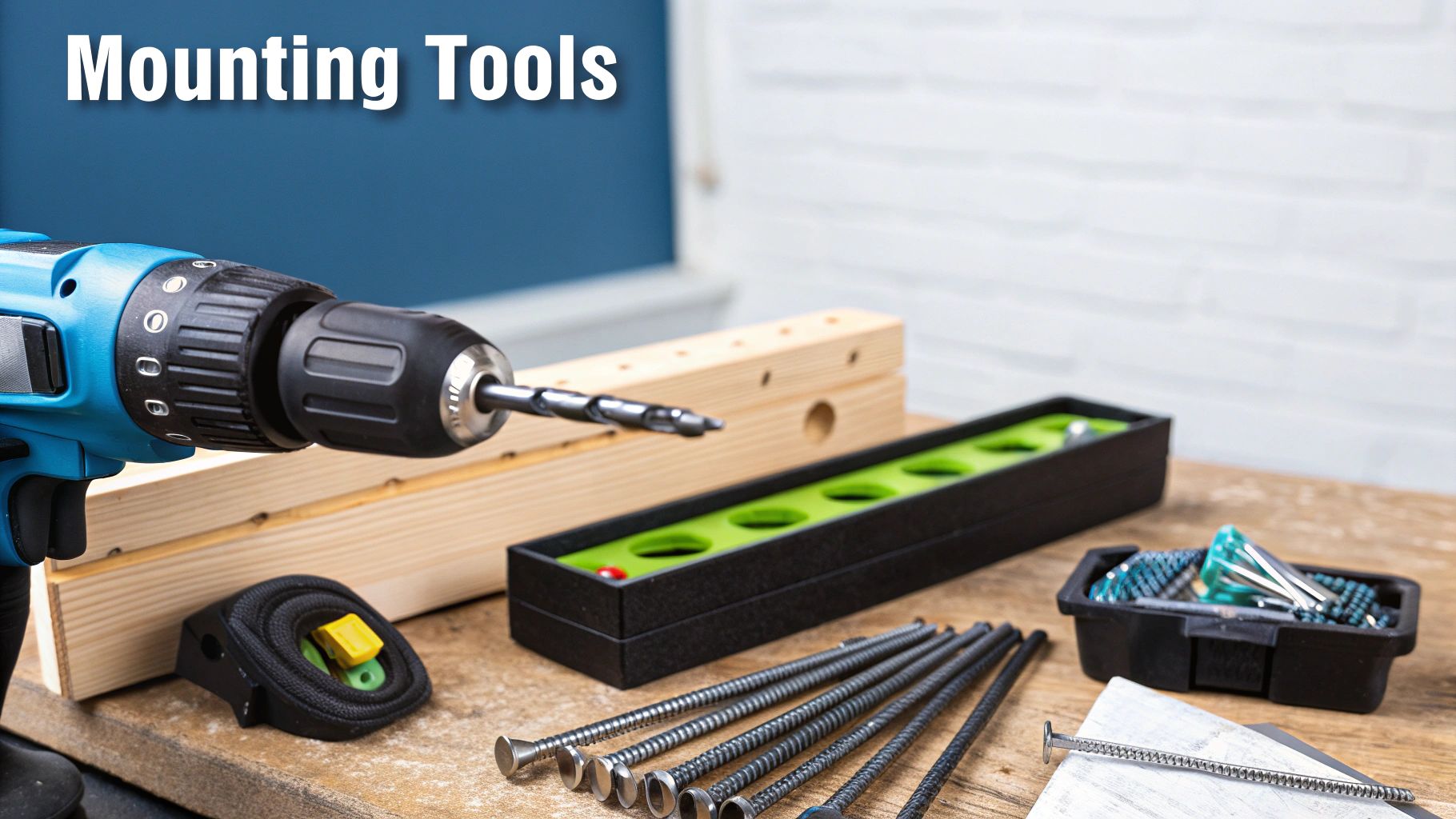
The basic tool kit: tape measure, stud finder, level, drill, screwdriver and a pencil for marking the wall. Measure twice, drill once.
Your TV Mounting Questions Answered
Even with the best formulas and guides in hand, every installation is a little different. Your room might have a quirky layout, or your furniture doesn't quite fit the standard mold. It happens.
Let's tackle some of the most common questions that pop up during the process. My goal is to give you the confidence to get the ideal TV mounting height right, no matter what your specific setup throws at you.
How High Should a 55, 65 or 75 Inch TV Be Mounted?
The same rule applies to every size: put the center of the screen at your seated eye level, about 42 inches for most sofas. What changes with size is where the bottom edge goes. With the center at 42 inches, the bottom edge of a 55-inch TV sits at about 28.5 inches, a 65-inch TV at about 26 inches and a 75-inch TV at about 23.5 inches. With a 75-inch TV viewed from about 12 feet, you might raise the center to 43 or 44 inches.
What If My Couch Is Extra High or Low?
This is probably one of the most frequent questions I get. You've got a sleek, low-profile modern sofa or maybe a tall, overstuffed armchair that you sink into. In these cases, the standard 42-inch eye-level guideline is more of a starting point than a hard rule.
The solution is actually simple: trust your own measurement above all else. The whole point is to align the TV's center with your actual seated eye level.
So, if your eye level on that low-slung couch is 38 inches, that's your new center point. Period. On the flip side, if you're in a high-backed chair and your eye level sits at 46 inches, that's the number you aim for. The rule should always adapt to you, not the other way around.
Is It Better to Have a TV Too High or Too Low?
Neither. A TV that is too high makes you tilt your head up, which leads to neck strain and eye fatigue. One that is too low makes you look down for long stretches, which is uncomfortable too. Of the two, too high is the more common mistake. If you have to look up to see the center of the screen from your usual seat, it is too high.
My Mounted TV Is Too High. What Should I Do?
If you can, lower it so the center of the screen is back near your seated eye level. If you can't, for example because it sits above a fireplace, a tilting mount lets you angle the screen down toward your seat, and a pull-down mount lets you bring the screen down while you watch.
What Are the Most Common TV Height Mistakes?
- Mounting too high, often above a fireplace. It looks good on the wall but forces everyone to crane their necks.
- Centering the TV on the wall instead of at eye level. It looks balanced but usually ends up too high for comfortable viewing.
- Ignoring furniture changes. A new sofa or recliner can change your eye level, so a height that was comfortable can stop being comfortable.
- Drilling without testing. Holes are hard to undo. Try the height with a cardboard template first.
- Forgetting the soundbar. Plan for it before you mount the TV, not after (see below).
How Does a Soundbar Affect Mounting Height?
A soundbar is a fantastic upgrade, but it absolutely requires a small adjustment in your mounting plan. You have to account for the physical space it will take up, otherwise, you risk blocking the bottom of your screen or the TV's IR sensor.
Here’s the best way to handle it:
- First, decide where the soundbar is going. Most people place it directly below the TV.
- Next, measure the height of your soundbar.
- Finally, mount your TV high enough to leave at least 1-2 inches of clearance between the bottom of the TV and the top of the soundbar.
This usually means you'll mount the TV just a touch higher than your initial eye-level calculation. It's a small compromise that ensures your audio and video components play nicely together.
Expert Insight: The most common mistake people make is mounting the TV first and then trying to squeeze the soundbar in afterward. Always plan for your audio equipment from the very beginning. It saves a lot of headaches.
What Is the Best Way to Mount a TV in a Corner?
Mounting a TV in a corner is a brilliant space-saving trick, but it demands a specific piece of hardware: a full-motion, articulating wall mount. This is the only type of mount that lets the TV extend away from the wall and swivel, allowing you to aim the screen perfectly toward your seating area.
When it comes to the height, the same core principles apply. Figure out your seated eye-level, then position the mount on the wall so that the TV's center hits that magic number when it's extended and angled. Be prepared for a little trial and error with the mount's arm to get it just right before you lock it down.
For more hands-on advice, you might find our expert guide covering various TV mounting tips and techniques helpful for all kinds of installations. This should give you the final bit of confidence to handle any unique challenge your space presents.
Find a Mount That Puts Your TV at the Right Height
Once you know your number, pick a mount that gets the screen there and lets you fine-tune the angle.
- All TV mounts: wall, ceiling, corner and fireplace mounts in one place.
- Full-motion TV mounts: tilt, swivel and extend. Best for corners and rooms with more than one seating area.
- Tilting TV mounts: angle the screen down when it sits above eye level, as in bedrooms.
- Fireplace and pull-down TV mounts: for TVs above a mantel.
- Ceiling TV mounts: when there is no good wall, or you want the TV out of the way.
Not sure which mounts fit your TV? Use the TV mount compatibility checker: pick your TV to see its VESA pattern and weight, plus every Mount-It! mount that fits it.
