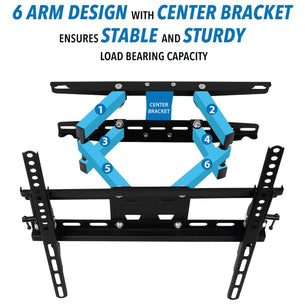
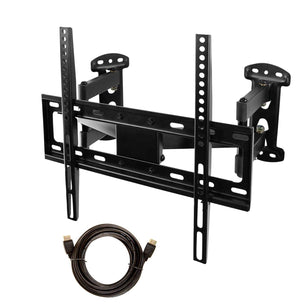
Every wall mount on this page fits a 32-inch TV. Choose the type first: full motion if you want to pull the screen out and turn it, which suits kitchens, bedrooms and corners, tilting if the TV hangs above eye level, or fixed for the slimmest look against the wall. Then match your TV's VESA hole pattern and weight to the mount's limits, or look up your exact TV model to see only the mounts that fit.
Frequently Asked Questions about 32-Inch TV Wall Mounts
What VESA pattern does a 32-inch TV use?
Most 32-inch TVs use VESA 100x100 mm, and many use 200x100. In the Mount-It! TV database of 25 consumer 32-inch TVs, 52% use 100x100 and 32% use 200x100. Check the back of your TV or its manual, then pick a mount that lists your pattern.
How much does a 32-inch TV weigh?
Most 32-inch TVs weigh about 7 to 12 lbs without the stand, and the median is about 8 lbs (25 consumer models in the Mount-It! TV database). Check your model's spec sheet for its exact weight.
How much weight can a TV mount for a 32-inch TV hold?
The wall mounts in this collection are rated for 30 to 175 lbs, depending on the model. Choose one rated above your TV's weight without the stand; each product page lists its weight capacity.
Do I need studs to mount a 32-inch TV?
Studs or masonry give the most secure hold, even for a small TV. If the studs are not where you want the TV, choose a no-stud TV mount rated for your TV's weight.
Can I use a full motion mount with a 32-inch TV?
Yes. This collection includes about 30 full motion mounts that list 32-inch TVs in their range, a good fit for kitchens, bedrooms and corners where you want to pull the screen out and turn it. Check the mount's weight rating against your TV.
Are TV wall mounts universal for 32-inch TVs?
Not universal, but standardized. TV mounts follow the VESA hole patterns, so any mount that supports your TV's pattern and weight will fit, whatever the brand. Each Mount-It! product page lists the VESA patterns and weight capacity it supports.