

Getting the hang of your new standing desk is pretty straightforward once you nail down the basics. The key is to set your desk height so your elbows are at a comfortable 90-degree angle when you're typing. From there, it's all about easing into a routine of switching between sitting and standing.
This initial setup is your best defense against aches and pains, helping your body adapt to a much healthier way to work. Explore our full collection of standing desks to find the perfect fit for your workspace.
Finding Your Perfect Desk Height on Day One
It's easy to get carried away with the excitement of a new standing desk, but a lot of people make the same mistake right out of the gate: they try to stand all day long. Let's be clear—the goal isn't to run a standing marathon on your first day. It's about finding what feels right and building a sustainable habit.
This shift toward more active workspaces is more than just a trend. The global standing desk market was valued at around USD 8.7 billion in 2025 and is expected to climb to USD 14.8 billion by 2035. That's a lot of people looking to ditch the all-day sitting grind.
To get you started on the right foot, here's a simple visual guide for setting up your desk and your daily routine.
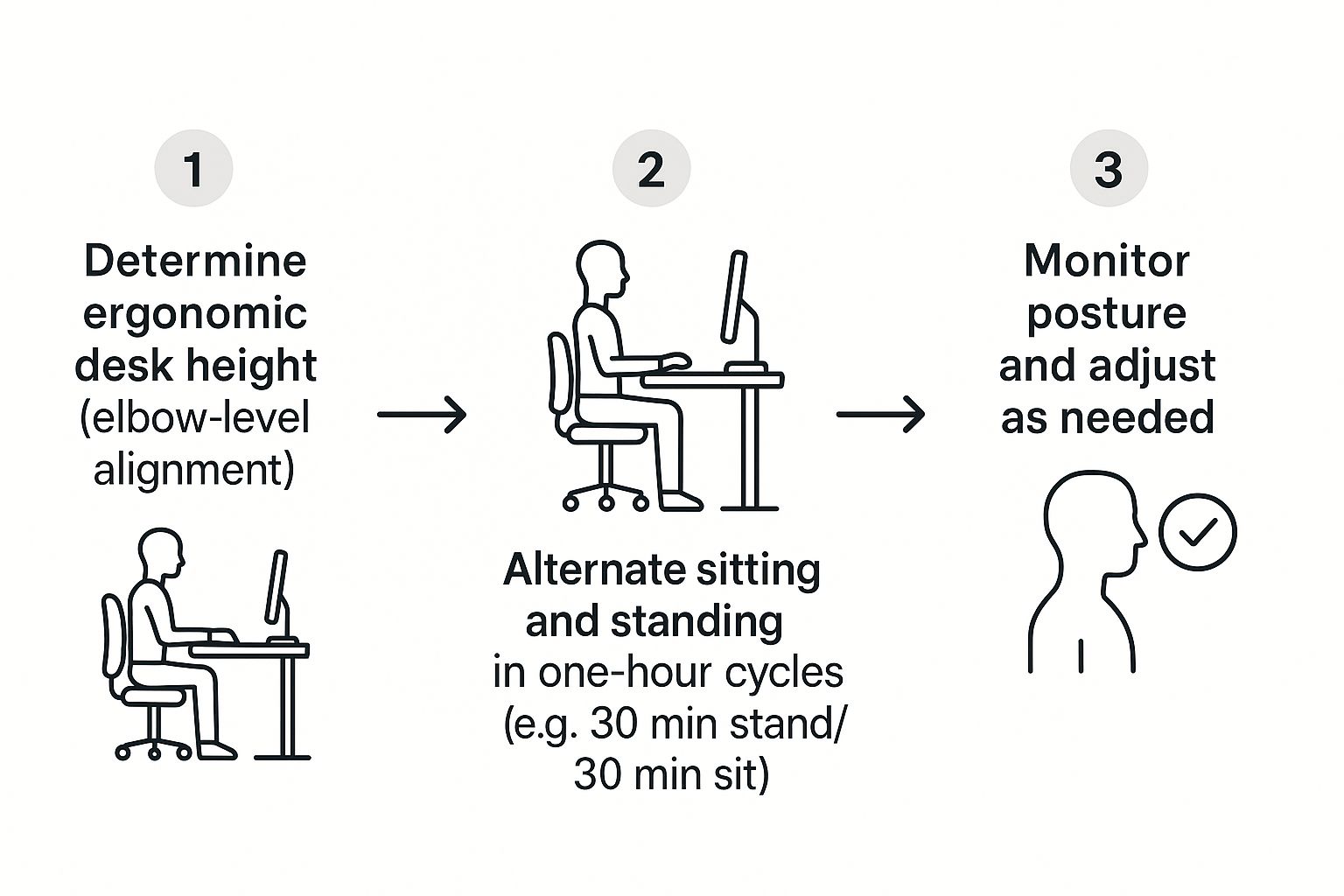
As you can see, the secret sauce is a simple cycle: find your proper alignment, balance your movement, and don't be afraid to make small adjustments as you go.
Before diving deeper, here’s a quick checklist to get you started on the right foot. Think of this as your cheat sheet for the first day.
Quick-Start Standing Desk Setup Checklist
| Action Item | Why It Matters | Quick Tip |
|---|---|---|
| Set Standing Height | Prevents shoulder and neck strain. | Raise the desk until your elbows are bent at a 90-degree angle while typing. |
| Set Seated Height | Ensures proper ergonomics when you sit. | Adjust so your feet are flat on the floor and elbows are at a 90-degree angle. |
| Position Monitor(s) | Avoids "tech neck" and eye strain. | The top of your screen should be at or slightly below eye level. |
| Plan Your First Day | Prevents fatigue and helps build a habit. | Start with a 30/30 sit-stand split and adjust as you feel comfortable. |
This table covers the non-negotiables. Getting these basics right from the beginning makes the transition smooth and comfortable, setting you up for long-term success.
The 90-Degree Elbow Rule
The quickest way to dial in your ideal desk height is by using the 90-degree elbow rule. It’s a simple ergonomic principle that works whether you're sitting or standing.
Adjust your desk until your elbows can rest comfortably at a 90-degree angle with your hands on the keyboard. Your forearms should be parallel to the floor, and your wrists should stay straight and neutral. This little trick is a game-changer for preventing you from hunching your shoulders or straining your wrists—two of the most common complaints when a desk is too high or low.
For a deeper dive, check out our guide on how high a standing desk should be.
Easing Into Your New Routine
Your body is going to need some time to get used to this new way of working. If you try to stand all day from the jump, you're just setting yourself up for sore feet and an aching back, which might make you want to give up entirely.
Think of it like starting a new workout routine. You wouldn't try to run a marathon on day one, right? The same logic applies here. You need to build up your standing endurance over time.
A great way to start is with a balanced cycle. Try the 30/30 split: stand for 30 minutes, then take a seat for the next 30. This rhythm keeps you moving without putting too much stress on your muscles and joints. As you get more comfortable over the first week or so, you can start extending your standing periods.
Dialing in Your Ergonomics for All-Day Comfort
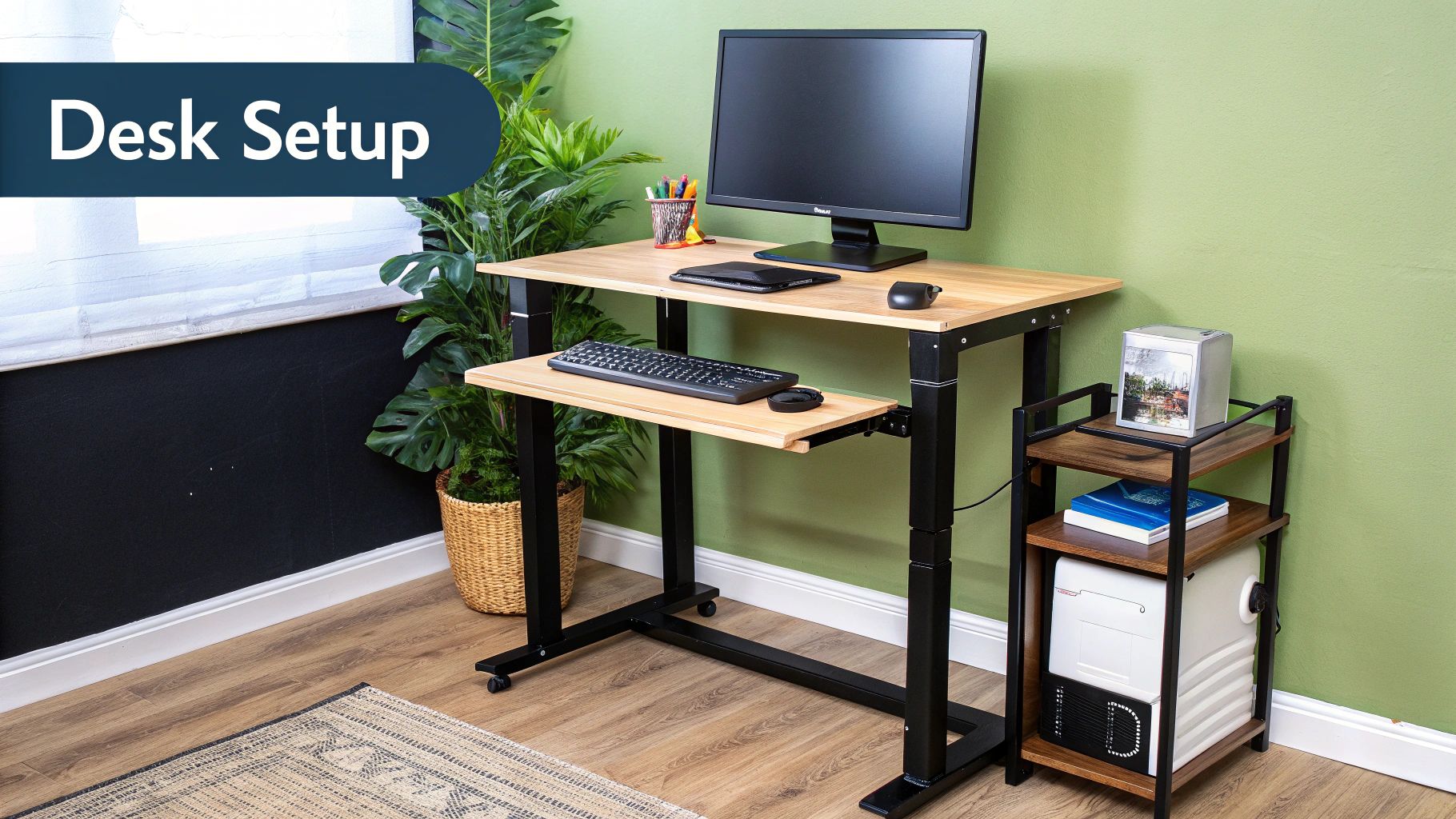
Once you’ve found that sweet spot for your desk height, the real work begins: refining your entire workstation. Just raising or lowering the desk surface is a massive first step, but true, lasting comfort comes from making sure every single piece of your setup—from the monitor down to your mouse—is perfectly positioned for you.
This is how you prevent that nagging neck, shoulder, and wrist pain that can creep in, even when you're standing. Think of your desk as the foundation. Now, we're going to build a supportive, pain-free structure right on top of it. These are the small adjustments that separate a good setup from a great one.
Positioning Your Monitor for Neck Health
Your monitor's position is, without a doubt, the most critical ergonomic tweak you can make. If you've ever dealt with "tech neck," that dull, persistent ache from looking down at a screen all day, you know exactly what I'm talking about. The whole goal is to keep your head in a natural, neutral, and relaxed position.
To get there, adjust your monitor so that your eyes naturally align with the top third of the screen. When you look straight ahead, your gaze should land just below the top edge of the monitor. This one simple change helps keep your spine straight and stops you from slouching forward without even thinking about it.
A study on office workers found that using a standing desk led to a 54% reduction in upper back and neck pain. Proper monitor height is a massive contributor to this result, as it directly impacts your posture.
If your monitor's built-in stand can't get it high enough, a monitor arm is a game-changer. It gives you incredibly precise control over height and depth, and as a bonus, it clears up a ton of usable space on your desk for a much cleaner look.
Achieving Neutral Wrist Posture
Just as crucial as your neck is your wrist alignment. Repetitive strain injuries are no joke, and they often start with wrists bent at awkward angles while typing or mousing around. The key here is to maintain a neutral wrist position, where your hands form a straight, relaxed line with your forearms.
Here’s a quick checklist for your setup:
- Keyboard Placement: Your keyboard should lie flat on the desk. Don't use those little feet to prop it up—that forces your wrists to bend upward (extension), which can compress nerves over time.
- Mouse Position: Keep your mouse right next to your keyboard. You shouldn't have to reach for it. Your elbow should stay comfortably tucked by your side, not winged out to the side.
- External Peripherals: If you're using a laptop, it absolutely needs to be on a stand to get the screen to eye level. And when it is, always use an external keyboard and mouse. Typing on an angled laptop keyboard for hours is a recipe for disaster.
For those who want to get super precise, our handy standing desk height calculator can give you the ideal measurements tailored to your body.
These ergonomic details might seem small, but their impact adds up massively over an eight-hour day. Taking a few minutes to dial in your monitor, keyboard, and mouse is a direct investment in your long-term comfort and focus. You'll feel the difference almost immediately, whether you're sitting or standing.
Building a Healthy Sit-Stand Rhythm
The real magic of a standing desk isn't about forcing yourself to stand for eight hours straight. Forget that idea. The secret is finding a balanced routine that weaves more movement into your workday, breaking up those long, stagnant stretches of sitting. This is where you really start to unlock the energy and focus benefits.
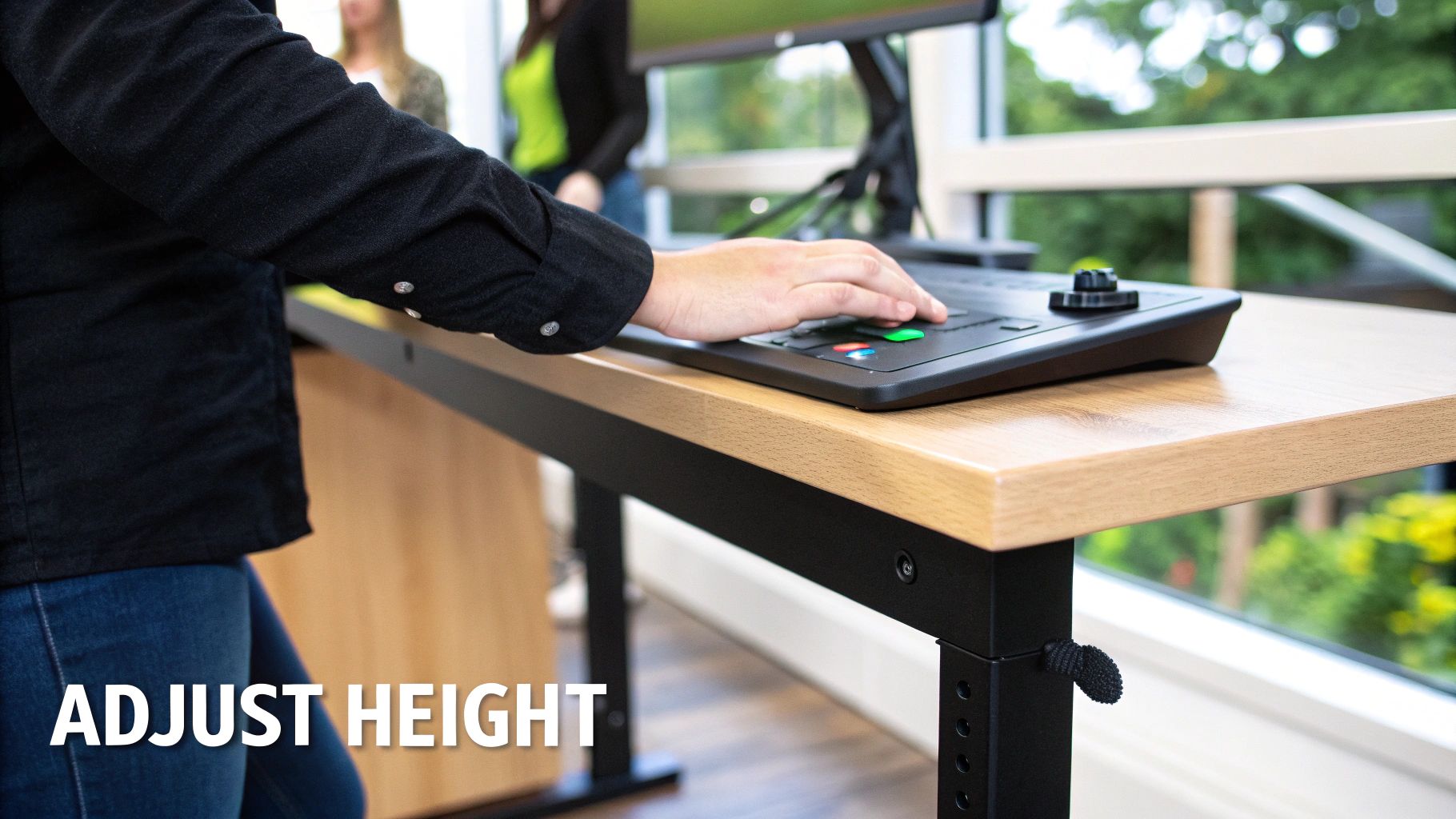
This rhythm isn't about strict rules; it's about listening to your body. A balanced approach helps you reap the rewards, making movement a natural, seamless part of your day instead of a chore.
Finding Your Ideal Sit-Stand Cadence
A fantastic starting point for most people is the 30-30 split: stand for 30 minutes, then sit for 30 minutes. Think of this 1:1 ratio as a simple, effective way to keep your body guessing without getting tired, especially when you're just starting out. It's the perfect on-ramp to building up your standing endurance.
Of course, your perfect rhythm might look a little different. Maybe you find you’re in the zone standing for 45 minutes and sitting for 15, particularly during deep-work sessions. The main goal is just to avoid being stuck in one position for too long.
Don't be afraid to experiment. The perfect schedule is the one you can actually stick with consistently. Your body will tell you when it’s time to switch—listen for cues like restless legs or a slight ache in your lower back.
To keep yourself on track, try setting some subtle reminders. A quiet timer on your phone or a productivity app that gives you a gentle nudge to change positions works wonders. After a while, you’ll find the rhythm becomes second nature.
For a deeper dive, check out our guide on how long you should stand at your standing desk.
Essential Gear for Your Standing Sessions
While moving more is the name of the game, a couple of key accessories can make a world of difference in your comfort and ability to stand longer. These items aren't just nice-to-haves; they are foundational to a truly ergonomic standing desk setup.
- Anti-Fatigue Mat: Standing on a hard floor is a fast track to sore feet, legs, and a grumpy back. A quality anti-fatigue mat provides that crucial cushioning to reduce pressure on your joints, making your standing time far more comfortable and sustainable.
- Supportive Ergonomic Chair: Your sitting periods are just as important. A good ergonomic chair offers proper lumbar support and encourages good posture, ensuring your "rest" breaks are genuinely restorative.
Switching to a more active workday delivers some pretty impressive results. Even with standing desks available, many office workers still spend nearly 70% of their day seated. Making the change can lead to a 54% reduction in upper back and neck pain, all while burning a few extra calories.
Common Mistakes and How to Avoid Them
Making the switch to a standing desk is one of the best things you can do for your body, but it's not always a seamless transition. It's really easy to fall into a few common traps that can leave you with more aches and pains than you started with.
Think of this section as your troubleshooting guide. We'll walk through the classic blunders people make so you can sidestep them and get all the benefits without the discomfort. Knowing how to use your standing desk correctly is all about being mindful of your posture and daily habits.
Standing Too Much, Too Soon
This is the big one. So many people get their new desk, get excited, and try to stand for their entire 8-hour workday right out of the gate. That’s a recipe for sore feet, an aching back, and some seriously tired legs. Your body just isn't conditioned for that, and it's the number one reason people give up and go back to sitting full-time.
Instead, treat it like starting a new workout routine—you have to ease into it. A great starting point is a 30/30 split: stand for 30 minutes, then sit for 30 minutes. Listen to your body and gradually increase your standing time as you get stronger and more comfortable.
Poor Posture and Leaning
When you get tired, it's natural to slip into bad habits. You might find yourself locking your knees or shifting all your weight onto one hip. Locking your knees puts a ton of unnecessary strain on the joints and can even mess with your circulation. Leaning to one side throws your hips and spine out of alignment, which is a fast track to chronic pain.
The fix? Always keep a slight, micro-bend in your knees. They should feel soft, not rigid. Make a conscious effort to keep your weight distributed evenly across both feet. It's also a great idea to shift your weight around every so often—from one foot to the other, or from your heels to your toes.
Remember, the goal isn’t to stand perfectly still like a statue. Gentle, subtle movements are key. This keeps your muscles active and prevents the stiffness that comes from holding a single position for too long.
Wearing the Wrong Footwear
What you wear on your feet has a massive impact on your comfort. Trying to stand for hours in high heels, flimsy flats, or even your favorite fuzzy slippers is just asking for trouble. Proper support starts from the ground up.
While you're at your desk, think function over fashion.
- Supportive Shoes: A good pair of sneakers or shoes with decent arch support and cushioning can make a world of difference. This one simple change can dramatically extend how long you can stand comfortably.
- Anti-Fatigue Mat: This is a non-negotiable accessory, especially if you prefer to work barefoot or in socks. A quality mat provides the cushioning your feet, knees, and back need to absorb the pressure of standing.
By sidestepping these common errors, you'll find your standing desk becomes a source of energy, not discomfort. For a more detailed look at refining your setup, explore our complete guide on standing desk best practices.
Smart Accessories That Make a Real Difference
Your desk is the centerpiece, no doubt. But the right accessories are what really transform your workspace from just functional to genuinely fantastic. These add-ons are what complete the ergonomic puzzle, bringing huge improvements in comfort, productivity, and even safety. Investing in a few key items makes a world of difference.
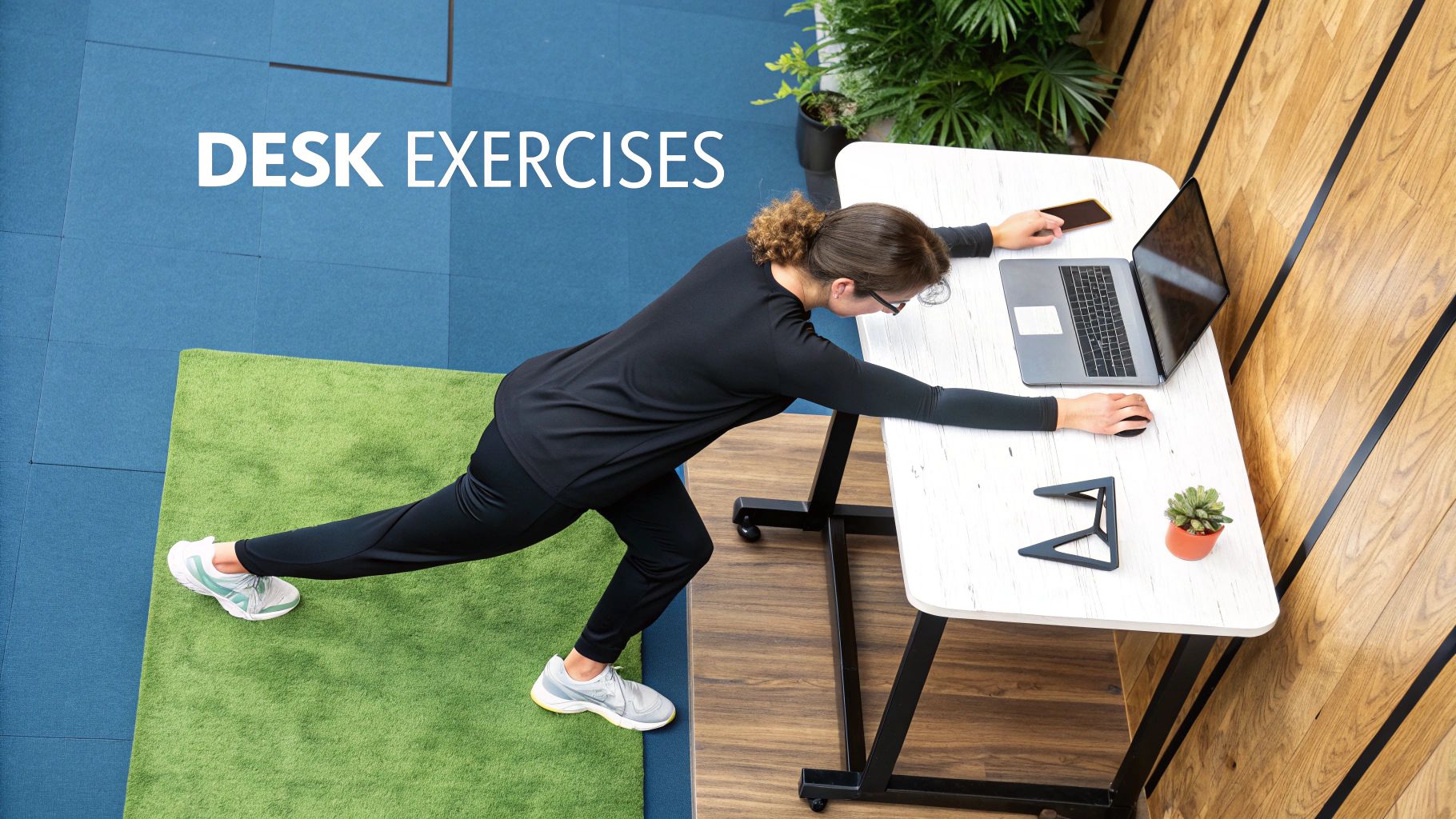
This focus on the entire workstation is what's driving so much of the market's growth. Manufacturers are innovating with motorized desks, energy-efficient actuators, and even IoT-enabled posture monitoring. The demand is real—the United States market alone is projected to hit around USD 2.7 billion by 2025 as more people seek out smarter, more comfortable work setups.
The Absolute Must-Have: An Anti-Fatigue Mat
If you buy only one accessory, make it this one. A quality anti-fatigue mat is practically mandatory for anyone serious about standing while they work.
Standing for hours on a hard floor—wood, tile, or even thin carpet—is brutal. It puts a ton of pressure on your feet, knees, and lower back. Honestly, this discomfort is the main reason people give up on their standing desks and retreat to their chairs.
A good mat provides that crucial layer of cushioning, absorbing the shock and reducing spinal compression. It also encourages tiny, subconscious micro-movements in your leg muscles, which keeps blood flowing and prevents that familiar stiffness and soreness. Think of it as a supportive foundation for your whole body.
Want to see for yourself? Try this simple test: stand for an hour on your bare floor, then switch to a proper mat. The difference in how you feel is immediate and impossible to ignore.
Monitor Arms for That Perfect Screen Position
We've already covered getting your monitor to the right height, but a monitor arm is what gives you total control and flexibility. A stack of books might work in a pinch, but a dedicated arm lets you fine-tune the height, depth, and angle of your screen with just a light touch. This makes finding that perfect eye-level spot completely effortless, saving you from a world of neck strain.
But there’s another huge perk to monitor arms: they reclaim a ton of desk space. By lifting your screen completely off the surface, you get all that real estate back for documents, devices, or just a clean, minimalist look. It’s a simple upgrade that makes your entire workspace feel bigger and more organized.
Don't Forget Your Hands and Feet
Your hands are doing all the work, so they deserve some attention, too. An ergonomic keyboard and mouse are designed to keep your wrists in a neutral, natural posture, which is key to preventing the aches and pains that can lead to repetitive stress injuries. Look for split-design keyboards or mice that fit your hand without forcing an awkward grip.
Finally, let’s talk about a few organizational essentials:
- Cable Management: A mess of dangling cords isn't just ugly; it's a legitimate tripping hazard, especially with a desk that moves up and down. Simple tools like cable trays, sleeves, or clips can keep everything tidy and safely out of your way.
- Footrests: For the times you are sitting, a good footrest is a game-changer. It helps you maintain proper posture by keeping your feet supported, which takes a surprising amount of pressure off your lower back.
To help you decide which upgrades might be right for you, here’s a quick comparison of the most impactful accessories.
Accessory Impact Comparison
| Accessory | Primary Benefit | Best For |
|---|---|---|
| Anti-Fatigue Mat | Reduces foot, leg, and back pain from standing | Everyone with a standing desk, especially on hard floors. |
| Monitor Arm | Perfect screen positioning and frees up desk space | Multi-monitor users and anyone wanting a clean, flexible setup. |
| Ergonomic Keyboard | Prevents wrist strain and repetitive stress injuries | Anyone who types for a significant portion of their day. |
| Ergonomic Mouse | Reduces hand and wrist fatigue during computer use | Heavy computer users, especially designers and gamers. |
| Footrest | Supports proper sitting posture and reduces back pressure | People who split their time evenly between sitting and standing. |
| Cable Management | Improves safety and creates a clean, organized look | Anyone with multiple peripherals and a moving desk. |
Each of these items plays a specific role in creating a cohesive, supportive system around you. To dig deeper, check out our complete guide on the best standing desk accessories and start building a workspace that truly works for you.
Your Standing Desk Questions Answered
Once you get into the swing of your new standing desk routine, some questions are bound to come up. Figuring out how to use a standing desk the right way is a process, and it’s totally normal to wonder if you’re doing it correctly. Think of this section as your quick-reference guide for the most common things people ask.
We'll clear up the confusion so you can get back to feeling great. Let’s dive into what new users are asking.
How Much Should I Actually Stand Per Day?
This is the big one, and the answer usually surprises people: the goal is not to stand all day long. The magic is in the movement and variety. A good target to aim for is 2 to 4 hours of standing, broken up throughout your eight-hour workday.
A 1:1 sit-stand ratio is a fantastic starting point. For every 30 minutes you sit, stand for 30 minutes. As your body gets used to it, you can play with that rhythm. Maybe you’ll find that standing for 45 minutes and then sitting for 15 feels better.
The real enemy is any static posture held for too long. A healthy workday is all about frequently switching between sitting, standing, and taking short walks. It's about finding a balance, not winning an endurance race.
What If I Start Feeling Foot or Back Pain?
A little initial soreness is normal as your muscles wake up, but if the pain sticks around, it's a clear signal that something in your setup needs a tweak. If your feet are aching, look down. Standing on a hard floor is brutal, which is why an anti-fatigue mat isn't a luxury—it's essential. Also, make sure you're wearing supportive shoes, not your house slippers.
For back pain, it’s time to re-check your ergonomics. Is your desk at that perfect 90-degree elbow height? Is your monitor directly at eye level? A lot of the time, pain comes from bad habits like locking your knees or slumping to one side. Try to keep a tiny bend in your knees and your weight spread evenly across both feet.
Will a Standing Desk Help Me Lose Weight?
Standing definitely burns more calories than sitting, but it’s not a magic ticket to weight loss on its own. You burn about 88 calories per hour standing versus roughly 80 while sitting. That small difference adds up—over a year, standing for a few hours a day can burn the caloric equivalent of running about 10 marathons. So yes, it can contribute to weight management.
The bigger win here isn't just about calories burned. It’s about fighting the negative metabolic impact of sitting all day, like lowering your risk of blood sugar spikes after you eat. See it as one piece of a healthier, more active lifestyle puzzle.
Is a Balance Board Worth It?
A balance board can be an awesome tool, but it's not a must-have for everyone. These boards create a subtle instability that forces your core and leg muscles to fire up to keep you balanced. This makes standing feel more dynamic and can even make it more fun.
If you’re just getting started, focus on nailing your posture on a good anti-fatigue mat first. Once that feels natural, a balance board is a great way to introduce more micro-movements into your day and keep your routine from feeling stale.
Ready to build the ultimate ergonomic workspace? Explore the full collection of sit-stand desks and accessories from Mount-It and find the perfect solution for your needs at https://www.mount-it.com.